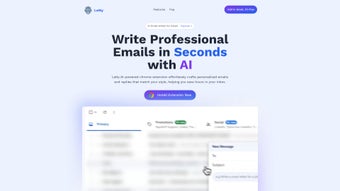

Download Letty – AI Email Assistant, Smart Email Management Tool
Letty is an AI‑powered email assistant designed to transform the way you handle your inbox. By integrating directly with Gmail, Letty reads the context of each conversation and offers intelligent suggestions, ready‑made templates, and tone‑customizable drafts that let you reply faster and more accurately. The service is subscription‑based, but it provides a free trial so users can experience the productivity boost before committing.
Letty focuses on security—no personal email content is ever stored on its servers; only the live thread context is processed in memory. As a result, you get a tool that respects privacy while delivering a seamless, automated writing experience. Future updates promise compatibility with Outlook, Zoho, and other major platforms, making Letty a versatile choice for professionals, students, and anyone who wants to stay on top of their email communication without sacrificing quality or tone.
Key Features of Letty
- Context‑Aware Drafting: Letty analyses the entire email thread and suggests replies that match the ongoing conversation, reducing the need to reread long histories.
- Customizable Tone & Style: Whether you need a formal business reply, a friendly note, or a concise update, Letty lets you set the desired tone with a simple slider.
- Grammar & Spell Check: Built‑in language models ensure every draft is grammatically correct, with suggestions for alternative phrasing and vocabulary.
- Template Library: Access a growing library of pre‑written email templates for common scenarios such as meeting invitations, follow‑ups, and support tickets.
- One‑Click Insert: Generated drafts can be inserted directly into Gmail with a single click, eliminating copy‑paste errors.
- Privacy‑First Architecture: No personal email data is stored; Letty processes only the live thread context and discards it after the suggestion is generated.
- Multi‑Platform Roadmap: While the current release works with Gmail on web browsers, upcoming updates will bring native apps for Windows, macOS, Android, and iOS, as well as extensions for Outlook and Zoho.
- Smart Learning: The assistant learns from your accepted suggestions, gradually aligning its recommendations with your personal writing style.
- Secure Cloud Processing: All AI calculations happen over encrypted HTTPS connections, ensuring that your data remains protected during transit.
- Regular Updates: Letty receives monthly feature updates and security patches, keeping the tool fresh, reliable, and compatible with the latest email standards.
Installation & Usage Guide
Getting started with Letty is intentionally straightforward, allowing even non‑technical users to benefit from AI‑driven email assistance within minutes. Follow these steps for a smooth installation and daily usage:
- Sign Up for an Account: Visit the official Letty website and click the “Start Free Trial” button. You’ll be prompted to create a Google account login or use an existing Gmail address. The registration process requires only an email and a password; no credit card is needed for the trial period.
- Authorize Gmail Access: After signing in, Letty will request permission to read and compose emails on your behalf. This OAuth flow is standard for Google‑based apps and ensures that Letty can only act within the scope you grant. Review the permissions and click “Allow.”
- Add the Browser Extension (Optional but Recommended): For the most seamless experience, install the Letty Chrome/Edge extension from the Chrome Web Store. The extension adds a small “Letty” icon next to the Gmail compose window, enabling one‑click suggestions.
- Configure Your Preferences: Inside the Letty dashboard, set your default tone (formal, neutral, casual), language (English, Spanish, etc.), and any industry‑specific jargon you frequently use. These preferences guide the AI’s suggestion engine.
- Start Composing: Open Gmail and begin a new email or reply to an existing thread. Click the Letty icon or press the shortcut (Ctrl + L by default) to generate a draft. Review the suggested text, adjust the tone if needed, and hit “Insert.”
- Provide Feedback: Letty includes thumbs‑up/thumbs‑down buttons for each suggestion. Providing feedback helps the AI refine future drafts to better match your style.
- Upgrade When Ready: After the trial, you can upgrade to the paid plan directly from the dashboard. Pricing is transparent, with monthly and annual options; the annual plan includes two free months.
Because Letty is a web‑based tool, there is no need for heavy downloads or installations on Windows, Mac, Android, or iOS devices at this stage. The forthcoming native apps will follow the same simple onboarding flow, leveraging the same secure OAuth authentication.
Compatibility, Pros & Cons
Letty currently works with Gmail on any modern web browser (Chrome, Edge, Firefox, Safari) across desktop and mobile platforms. The service is optimized for Windows 10/11, macOS Ventura and later, as well as Android 12+ and iOS 15+. While native desktop or mobile apps are not yet released, the responsive web design ensures a consistent experience whether you’re on a laptop, tablet, or smartphone.
Pros
- Time Savings: Users report up to a 40 % reduction in email response time thanks to instant, context‑aware drafts.
- Privacy‑Centric: No email content is stored long‑term; Letty processes data only during the active session.
- Customizable Tone: Adjust formality and style on the fly, making it suitable for both corporate and personal communications.
- Easy Integration: Works directly within Gmail without the need for separate software installations.
- Continuous Learning: The AI adapts to your preferences, improving suggestions over time.
- Regular Updates: Monthly releases add new templates, language improvements, and security patches.
- Cross‑Platform Roadmap: Planned native apps for Windows, macOS, Android, and iOS expand future accessibility.
Cons
- Limited to Gmail (for now): Users of Outlook, Zoho, or other email services must wait for future compatibility updates.
- Subscription Cost: After the free trial, Letty requires a monthly or annual fee, which may be a barrier for budget‑conscious users.
- Learning Curve: While the UI is intuitive, new users may need a few days to understand tone settings and feedback mechanisms.
- Internet Dependency: As an AI cloud service, Letty requires a stable internet connection; offline drafting is not supported.
- Template Overreliance: Some users may become overly dependent on pre‑written templates, potentially reducing personal voice if not carefully managed.
Overall Verdict: Letty delivers a compelling blend of AI assistance, privacy safeguards, and user‑friendly design that makes it a strong candidate for anyone looking to streamline email communication. While its current Gmail‑only focus limits reach, the roadmap promises broader platform support, which should address the primary drawback.
Conclusion & Frequently Asked Questions
In a world where inbox overload can drain productivity, Letty offers a smart, secure, and privacy‑first solution to help you stay on top of your email game. By delivering context‑aware drafts, customizable tones, and a growing library of templates, the tool reduces the mental load of writing each message from scratch. The free trial allows you to test the benefits risk‑free, and the subscription model funds continuous AI improvements, regular updates, and upcoming native apps for Windows, macOS, Android, and iOS. If you spend a significant portion of your day navigating Gmail, Letty is a worthy investment that can shave minutes off every reply—minutes that add up to hours saved each week.
Ready to experience faster, smarter email communication? Download Letty today and start your free trial. Let the AI do the heavy lifting while you focus on the ideas that matter.
Frequently Asked Questions
Is Letty really free to try?
Yes, Letty offers a 14‑day free trial with full access to all features. No credit card is required to start the trial, and you can cancel at any time before the subscription period begins.
Does Letty store my email content?
No. Letty processes email threads only in memory during the active session. Once a suggestion is generated, the context is discarded, ensuring that personal data is never stored on Letty’s servers.
Can I use Letty on mobile devices?
Absolutely. The web‑based interface works on any modern mobile browser (Chrome, Safari, Edge). Upcoming native Android and iOS apps will provide an even tighter integration with mobile email clients.
What languages does Letty support?
Currently Letty supports English and Spanish with full AI capabilities. Additional languages are planned for future releases based on user demand.
Will Letty work with Outlook or Zoho?
Support for Outlook, Zoho Mail, and other platforms is on the development roadmap. Beta access will be offered to existing subscribers once the integrations are ready.



.png)



